
Know it broke before the phones ring.
Beacon Link is a small box that plugs into your network closet. It checks the systems care depends on, day and night. When one stops working, Beacon Relay's service desk sees it and calls the right person.
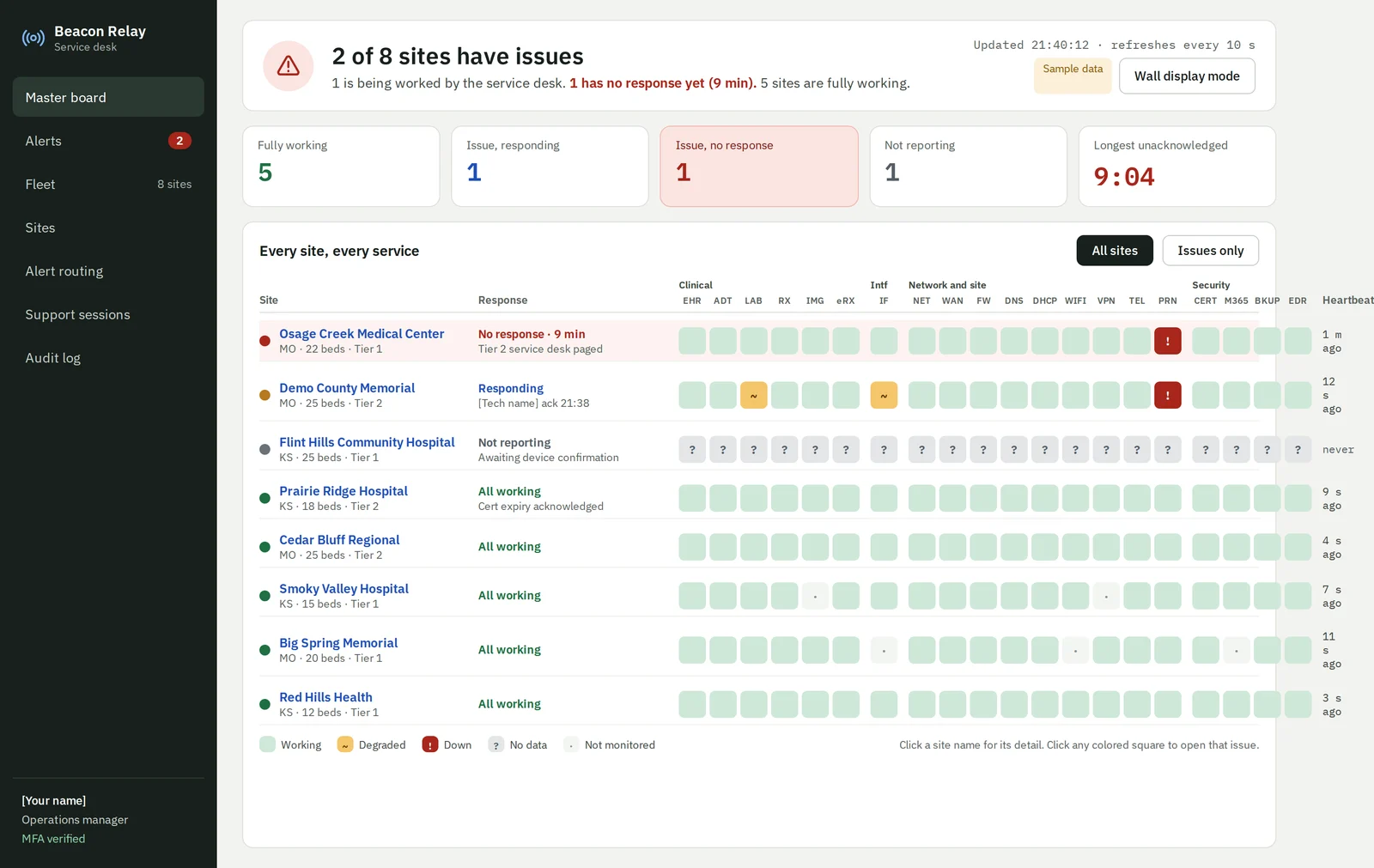
It watches, it double-checks, and it gets a person on the problem.
Every critical system
Your EHR, HL7 interfaces, internet, firewall, DNS, Wi-Fi, phones, printers, backups and certificates. Up to 20 critical services, checked every minute with read-only access.
Before it raises an alarm
It retries and checks from a second angle, so one internet blip is not twenty pages. If it can't confirm a system is working, it says so. It never shows green on a guess.
Gets a person on it
The service desk sees it first and pages your team by text, call, email or Teams. It keeps escalating until someone owns it, and keeps a timeline of what happened.
Four steps from first call to live monitoring.
We do the setup work. Your IT person plugs in one cable and approves one outbound connection.
- STEP 1
Kickoff call
We map your EHR, interface engine and network with your IT team, then send a one-page list of exactly what we'll need.
- STEP 2
We build your box
You buy approved hardware and own it. We load it with your hospital's settings and test it before it ships.
- STEP 3
Plug it in
One cable to a switch port, one power outlet, and one outbound firewall rule. No inbound ports, no changes to your systems.
- STEP 4
Confirm and go live
A second person confirms the box before it starts reporting. Then we tune alerts with your team during the pilot.
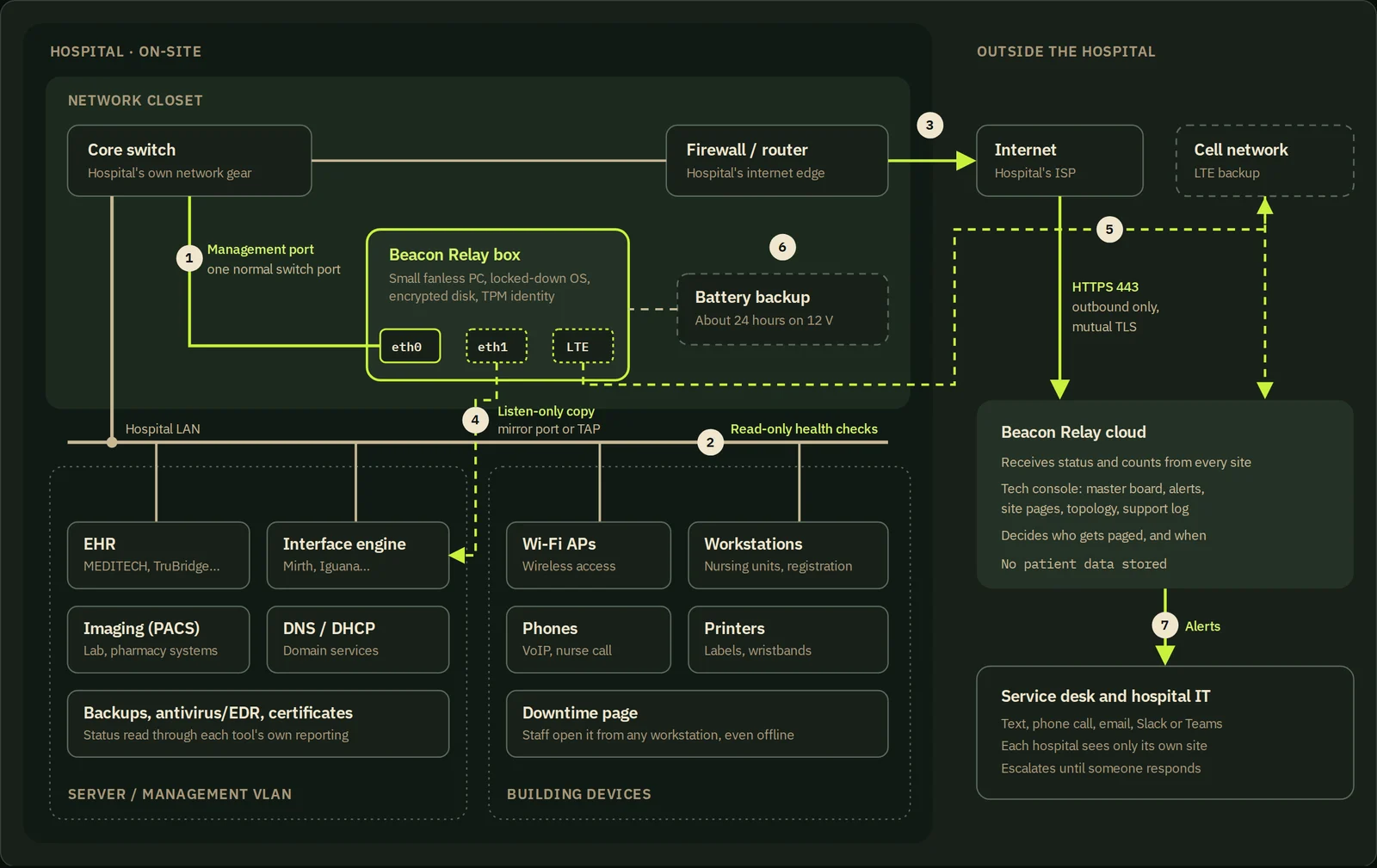
What your IT team provides
- One open port on the core switch
- One power outlet in the closet
- A static IP address
- One firewall rule: outbound HTTPS to Beacon Relay
- Read-only logins for the EHR and interface engine
Optional: a cell modem for a backup internet path, and a battery that keeps the box reporting through a power outage.
Your hospital on one screen. An owner for every problem.
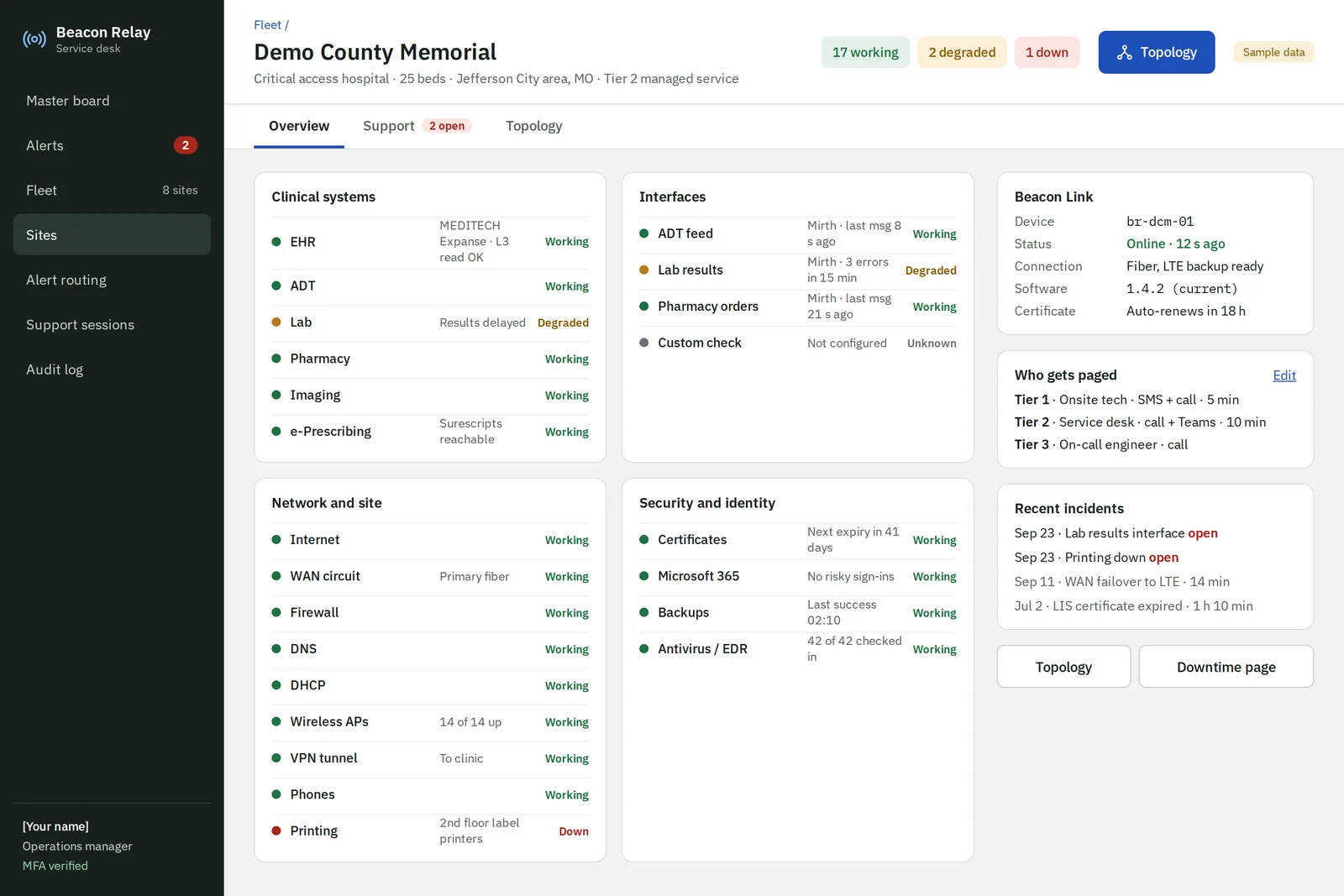
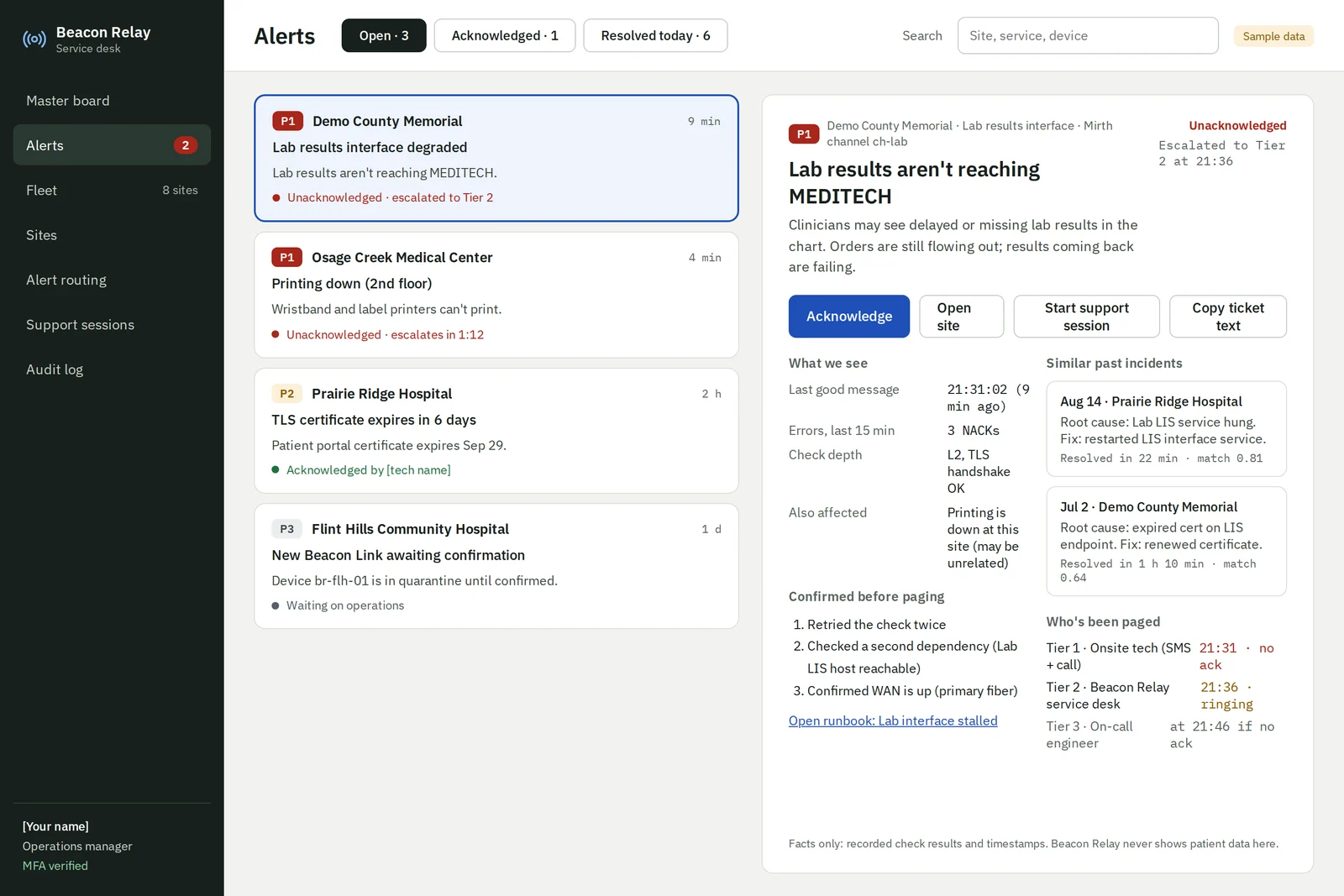
Screens show sample data · each hospital sees only its own site
Built for hospitals without a 24/7 operations center.
For your IT team
Someone is watching nights and weekends. When a call does come in, you already know which system failed and where to look.
For leadership
A record of every outage: when it started, who was told, and when it was fixed. Real evidence for your board, surveyors and vendors.
When the internet goes down
The box keeps a downtime page on your own network with your contact tree, vendor numbers and recovery steps, reachable from any workstation.
Nothing inbound.
Putting a device inside a hospital network deserves scrutiny. These describe how the product is built. They are not certification claims.
- Outbound only. No inbound ports, no standing remote access.
- No patient data leaves. Status, counts and timing only.
- Read-only access. It never changes settings on your systems.
- Both sides prove who they are. Mutual TLS with short-lived certificates.
- Locked-down box. Encrypted disk and a hardware-backed identity.
- Signed updates that roll back on their own if something goes wrong.
- Not in the path of care. If the box fails, nothing in the hospital stops.
- Architecture and security documents for your team's review, on request.
Priced by bed count, not a flat fee.
One monthly fee covers remote monitoring, alerting and the console. You buy the hardware once and own it.
Illustrative pricing as of September 2026 · confirmed during a pilot
| 10-bed hospital | $620 / month |
| 25-bed critical access hospital | $800 / month |
| 50-bed hospital | $1,100 / month |
| Beacon Link hardware | Bought once, owned by you |
Light the first beacons with us.
We're working with a small number of rural and critical access hospitals to prove coverage, alert quality and value in real environments.